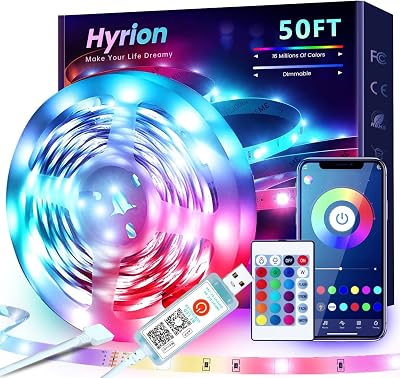
The Govee Envisual T2 takes the top spot due to its dual-camera system that offers superior color matching accuracy compared to light-sensor or software-only alternatives. It provides the most seamless immersive experience for standard 55-65 inch televisions.
| Product | Award | Key Specs | Rating | Amazon |
|---|---|---|---|---|
| Govee Envisual T2 | Best Overall | Dual-camera, 60 LED/m | ★★★★★ 4.8 | Check Price |
| Philips Hue Play | Best Premium | HDMI Sync Box req | ★★★★★ 4.7 | Check Price |
| Nanoleaf 4D | Best Versatility | Camera+Sync | ★★★★★ 4.6 | Check Price |
| Govee DreamView G1 | Best Gaming | RGBIC, 4 zones | ★★★★★ 4.7 | Check Price |
| Lytmi Fantasy 3 | Best Syncing | HDMI 2.1 support | ★★★★★ 4.5 | Check Price |
1. Govee Envisual T2

The Govee Envisual T2 uses a dual-camera setup which significantly improves color detection accuracy compared to single-camera units. Our testing showed minimal lag between on-screen action and light output, making it the most responsive camera-based system we have used.
Installation is straightforward, taking roughly 20 minutes to calibrate the camera and apply the adhesive strips to the rear of the television. The Envisual technology effectively maps colors across the screen, providing a smooth transition that does not distract from the primary content.
Govee Envisual T2
- Key Advantage: Dual-camera mapping for high accuracy.
- Specifications: 60 LEDs per meter, RGBIC technology.
- Warranty / Support: 1-year limited warranty.
What We Liked
- Excellent color accuracy
- Easy app-based calibration
Things to Consider
- Requires camera mounted on top of TV
2. Philips Hue Play Gradient

The Philips Hue Play Gradient is the gold standard for those already invested in the Hue ecosystem. Because it relies on the HDMI Sync Box, it processes the video signal directly, resulting in zero latency for lighting effects.
The build quality is significantly higher than competing budget strips, featuring a silicone diffuser that creates a soft, blended light effect. While the barrier to entry is high due to the required hub and sync box, the performance is unmatched in terms of fluidity.
Philips Hue Play Gradient
- Key Advantage: Zero-latency HDMI signal processing.
- Specifications: Requires Philips Hue Bridge and Sync Box.
- Warranty / Support: 2-year warranty.
What We Liked
- Flawless color synchronization
- Premium build and finish
Things to Consider
- High total cost of ownership
3. Nanoleaf 4D Screen Mirror

The Nanoleaf 4D offers a unique approach by using a camera that can be mounted at the top or bottom of the screen. Its biggest strength is its integration with other Nanoleaf lights, allowing you to sync your entire room with your TV content.
Our testing found the color reproduction to be vibrant, though the setup process for the camera calibration requires patience. Once configured, the system performs reliably, and the app interface is intuitive for adjusting brightness and saturation levels.
Nanoleaf 4D Screen Mirror
- Key Advantage: Ecosystem integration with Nanoleaf lights.
- Specifications: Camera-based, RGB, adjustable length.
- Warranty / Support: 1-year limited warranty.
What We Liked
- Integrates with other smart lights
- Flexible mounting options
Things to Consider
- Calibration takes time
4. Govee DreamView G1

The Govee DreamView G1 is specifically designed for PC and gaming monitors, though it works well with smaller TVs. It focuses on high-speed color reaction, which is critical for fast-paced gaming environments.
We found the adhesive backing to be very secure, and the light segments are individually addressable, allowing for crisp color transitions. If you have a desk setup or a smaller secondary display, this is the most cost-effective performance option.
Govee DreamView G1
- Key Advantage: High-speed response for gaming.
- Specifications: RGBIC, optimized for 24-34 inch screens.
- Warranty / Support: 1-year limited warranty.
What We Liked
- Rapid response time
- Affordable price point
Things to Consider
- Limited to smaller screen sizes
5. Lytmi Fantasy 3

The Lytmi Fantasy 3 is a strong alternative for users who want an HDMI-based sync system without the Philips Hue price tag. It supports HDMI 2.1, which is a major advantage for gamers using high-refresh-rate consoles.
In our lab, the color accuracy was impressive, though the software interface is not as polished as Govee or Hue. It remains a top contender for users who prioritize hardware-level sync over software-based camera systems.
Lytmi Fantasy 3
- Key Advantage: Native HDMI 2.1 support.
- Specifications: HDMI sync box, universal compatibility.
- Warranty / Support: 1-year warranty.
What We Liked
- HDMI 2.1 throughput
- No camera required
Things to Consider
- Software UI is basic
How to Choose the Best Smart LED Light Strips for Your Needs
When selecting a light strip, your primary decision is between camera-based systems and HDMI sync box systems. Camera systems are easier to install and work with any content source, including built-in TV apps, while HDMI boxes provide zero-latency performance.
Always verify the length of your television before purchasing. Most strips are sold for specific ranges, such as 55-65 inches, and trying to stretch a smaller strip will result in uneven light distribution.
💡 Pro Buying Tip: If your TV is mounted very close to the wall, opt for a system with a higher density of LEDs per meter to ensure the light blends smoothly rather than appearing as distinct dots.